Codename: TACMOD  |  Personal Tactical Defense Gateway

Azazel-Gadget

Portable Cyber Scapegoat Gateway for hostile networks.

A hacker who learned to attack — and chose to defend.
Move the target. Keep your endpoint invisible.
The network thinks it's talking to you. It's talking to Azazel.

NOT a VPN. NOT a travel router. NOT a promise of complete protection.

Azazel-Gadget
SYSTEM ACTIVE
SHIELD

Why Azazel?

Public Wi-Fi exposes your endpoint to the local segment the moment you connect. Azazel-Gadget puts itself between you and the threat — and becomes the target instead.

01
📷

First-Contact Relocation

Azazel-Gadget connects to the untrusted network. Your laptop connects to Azazel over USB. Probes, scanners, and recon tools hit the gadget — not you.

02
🛡

Deterministic Mode Control

No "smart" black-box AI. Three operator-selected modes with explicit, auditable behavior. You always know what Azazel is doing and why.

03
📌

Cyber Scapegoat

In scapegoat mode, isolated honeypot services (OpenCanary) draw attackers in. The decoy takes the hit. Your endpoint stays dark.

04
👁

Operator Visibility

Web UI, TUI, E-paper display, and ntfy notifications give you live situational awareness — what's happening on the wire, in real time.


Choose Your Posture

Every environment is different. Azazel-Gadget gives you explicit control over your exposure surface.

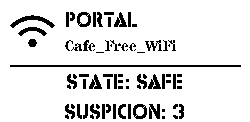
PORTAL

Connectivity First

Standard NAT/gateway behavior. Your protected endpoint (usb0) reaches the internet through Azazel's upstream (wlan0). Deception services are disabled — clean throughput mode for when you need raw connectivity.

inbound: open (NAT)
deception: disabled
use case: trusted/known networks, initial setup
e-paper: PORTAL status display
Portal mode EPD
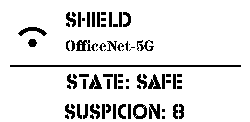
SHIELD

Default Defensive Posture

All inbound traffic from the upstream (wlan0) is dropped at the gateway level. Your endpoint's outbound path is preserved — you can reach out, but the hostile segment cannot reach in. This is the recommended default.

inbound: blocked
outbound: preserved
deception: disabled
use case: public Wi-Fi, hotels, conferences
Shield mode EPD
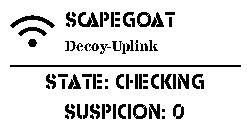
SCAPEGOAT

Active Deception

Allowlisted OpenCanary decoy services are exposed on isolated ports. Canary runs in a dedicated network namespace (az_canary) — completely separated from your protected client side. Attackers probe the honeypot. You watch the logs.

inbound: canary ports only
deception: OpenCanary active
isolation: az_canary netns
use case: research, red/blue ops, hostile recon
Scapegoat mode EPD

What's Inside

🌐

Web UI

Flask-based local dashboard with live state stream (SSE). Switch modes, monitor events, manage Wi-Fi — from any browser on your protected device.

📄

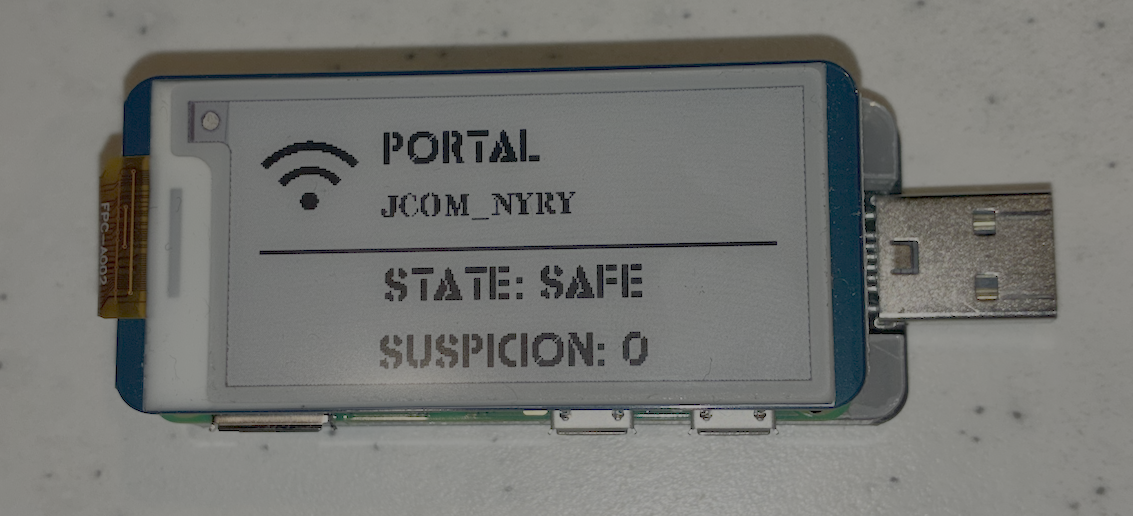
E-Paper Display

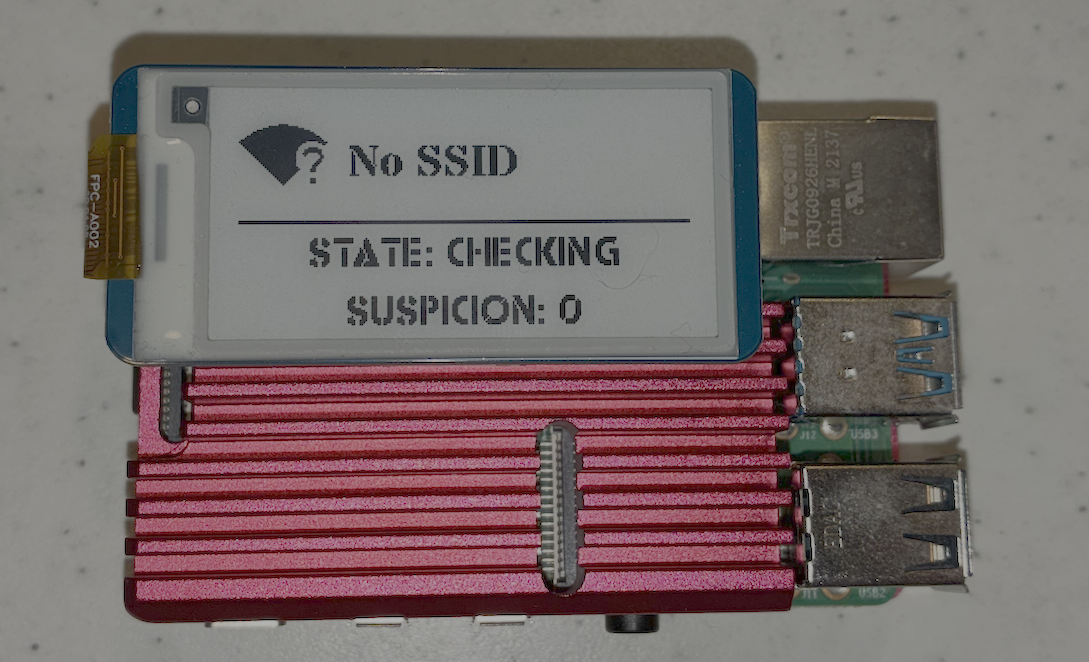
Waveshare e-ink panel shows current mode, status, and warning states. Persistent even when power flickers. Zero-UI visibility.

🖥

Unified TUI

Terminal-native monitor and menu panel. No browser needed. Built for operators who live in the terminal.

🚨

ntfy Notifications

Local ntfy server for push alerts. Suricata and OpenCanary events reach your phone over the protected link — instant threat awareness.

🔍

Suricata IDS

Optional network IDS on the upstream interface. Azazel watches the wire so you don't have to manually inspect traffic.

📋

Audit Trail

Every mode change and state transition is recorded. Operator-reviewable logs for post-incident analysis or compliance evidence.

📶

Captive Portal Viewer

noVNC + Chromium stack for safely viewing captive portals in an isolated browser — without exposing your main environment.

🔒

HTTPS Local UI

Caddy reverse proxy with a locally-signed CA. Your Web UI is served over HTTPS — token-authenticated, not cleartext.


The Boundary

Azazel-Gadget sits between your endpoint and the hostile network. The threat never crosses the gateway.

THREAT
SEGMENT
upstream wlan0
AZAZEL-GADGET
GATEWAY
mode controller + nftables
PORTAL
SHIELD ⸻
SCAPEGOAT
YOUR
ENDPOINT
protected usb0

Deploy in Minutes

Flash Raspberry Pi OS, clone the repo, and run the installer. Azazel handles the rest.

azazel-gadget — install.sh
# Clone the repository
pi@azazel:~ $ git clone https://github.com/01rabbit/Azazel-Gadget.git && cd Azazel-Gadget
 
# Full install — web UI, canary, IDS, e-paper, ntfy
pi@azazel:~/Azazel-Gadget $ sudo ./install.sh --all
 
# If a reboot is required at network stage:
pi@azazel:~/Azazel-Gadget $ sudo ./install.sh --resume
 
# Verify services are running
pi@azazel:~ $ sudo systemctl status azazel-mode azazel-control-daemon azazel-web --no-pager
 
● azazel-mode.service — active (running)
● azazel-control-daemon.service — active (running)
● azazel-web.service — active (running)
 
[MODE] SHIELD — all inbound from wlan0: DROP
pi@azazel:~ $

Two Form Factors

Pocket-sized or bench-ready. Same software stack, different deployment scenarios.

Azazel-Gadget Shield — Raspberry Pi Zero 2 W
AZ-02 Shield

Azazel-Gadget Shield

Raspberry Pi Zero 2 W. Pocket-sized, bus-powered. Fits in a keychain case. The field operator's choice for covert defensive carry.

Azazel-Gadget Dock — Raspberry Pi 3/4/4B
AZ-02 Dock

Azazel-Gadget Dock

Raspberry Pi 3 / 4 / 4B. Higher throughput and memory headroom. Preferred for research environments and full IDS integration.